Scribblenauts Unlimited - Object Editor
The Object Editor is an editor in Scribblenauts Unlimited that allows players to create and edit their own Custom Objects and Avatars. An similar menu also exists in
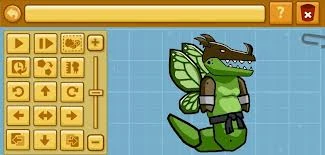

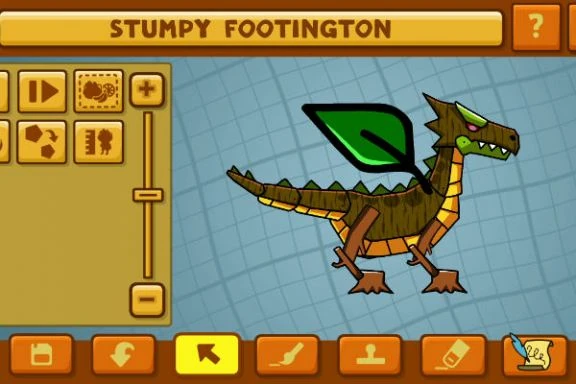
An example of what you can do with object pieces and color editing
Scribblenauts Unmasked called the Hero Creator.
Stamp Panel
In the Object Editor, users can type in objects from which they can extract pieces(called "Stamps"), or they can use the many Stamps suggested by the game's Stamp Tabs:
Object Stamps:
- Leg
- Arm
- Tail
- Head
- Ear
- Trunk
- Beard
- Lizard Tail
- Monkey Tail
- Mohawk
- Mustache
- Nose
- Dog Tail
- Skull
- Beak
- Pieces of Grandma
- Pieces of Death
- Pieces of Bandit
- Pieces of Hula Dancer
- Pieces of Incubus
- Pieces of Judge
- Pieces of King
- Pieces of Knight
- Pieces of Leprechaun
- Pieces of Mad Scientist
- Pieces of Maid
- Pieces of Martian
- Pieces of Monk
- Pieces of Mummy
- Pieces of Mutant
- Pieces of Ninja
- Pieces of Noblewoman
- Pieces of Orc
- Pieces of Pilot
- Pieces of Pirate
- Pieces of Policeman
- Pieces of Queen
- Pieces of Robot
- Pieces of Robber
- Pieces of Samurai
- Pieces of Scribblenaut
- Pieces of Secret Agent
- Pieces of Skeleton Warrior
- Pieces of Softball Player
- Pieces of Sorority Girl
- Pieces of Soldier
- Pieces of Succubus
- Pieces of Supermodel
- Pieces of Tanuki
- Pieces of Tennis Player
- Pieces of Tooth Fairy
- Pieces of Troglodyte
- Pieces of Vampire Hunter
- Pieces of Vampire
- Pieces of Veterinarian
- Pieces of Waitress
- Pieces of Werewolf
- Pieces of Witch
- Pieces of Wizard
- Pieces of Woman
- Pieces of Wood Elf
- Pieces of Zombie
- Pieces of Zookeeper
(Note: All pieces of specific people use their designs from Super Scribblenauts, rather than their designs seen in Unlimited. This is most notable for objects that were redesigned between games, like the Succubus)
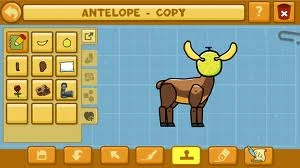

Previously used object pieces tab
Miscellaneous Stamps
- Wheel
- Stick
- Badge
- Antenna (Metal)
- Barber's Pole
- Do Not Enter Sign
- Graffiti
- Headless Horseman Head
- Speech Bubble
- Fire Alarm
- Halo
Shape Stamps
- Circle
- Triangle
- Square
- Rectangle
- Pentagon
- Hexagon
- Heptagon
- Octagon
- Nonagon
- Decagon
- Cone
- Cube
- Cylinder
- Helix
- Hemisphere
- Octahedron
- Oval
- Parallelogram
- Prism
- Pyramid
- Rectangular Prism
- Rhombus
- Sphere
- Torus
- Trapezium
- Trapezoid
All of these fall under the Shapes Category.
Previously Used Stamps
This is not a pre-selected list of Stamps, instead showing a list of Stamps that have been used by the player before. This normally only shows the last 11, however using the expand button allows using more pages. This list is saved automatically and is not deleted when the player exits out of the editor or changes to a different creation.
Textures and Colors
The game offers a great number of colors and textures to personalize items. These mimic the effect of appearance adjectives used on specific object pieces.
Colors
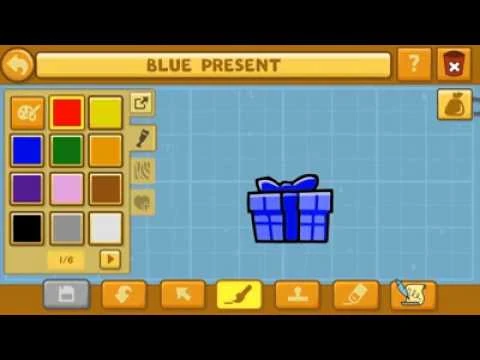

The colour editing tab.
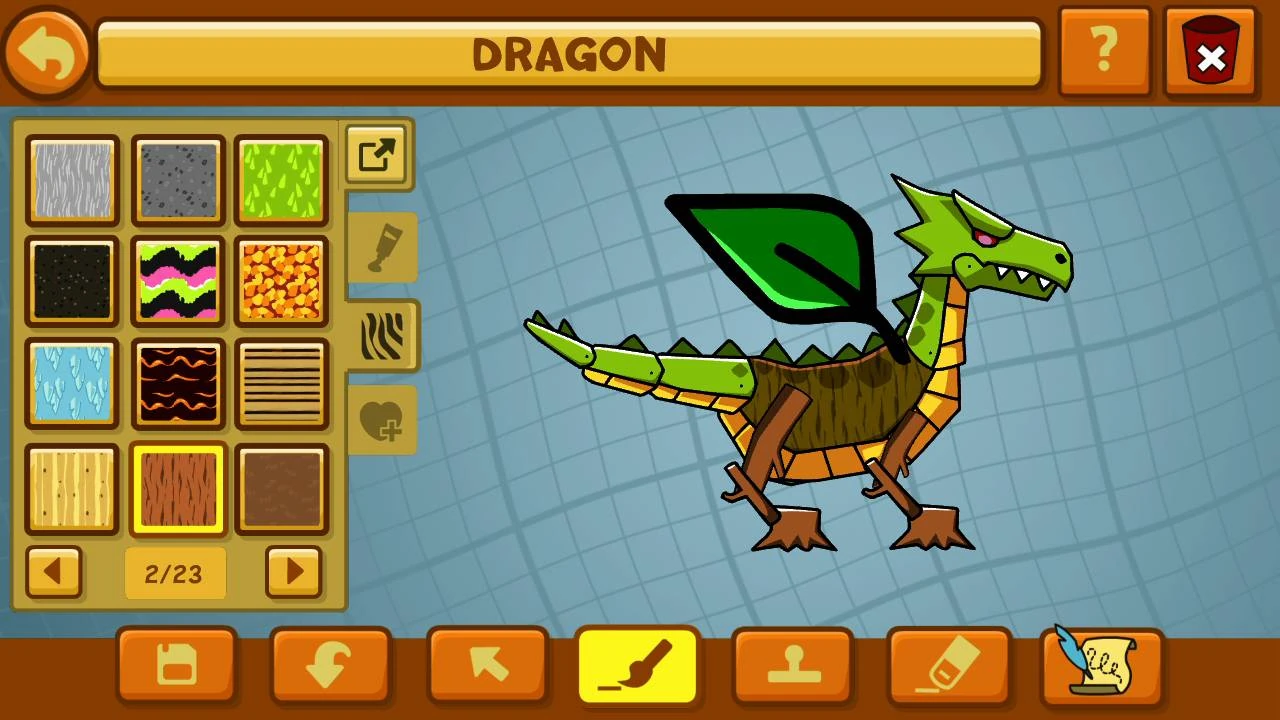

The texture selection tab (second page)
Many colors are available, and are highly modifiable in terms of saturation and
hue using two spectrum sliders(a 1D one for hue, and a 2D one for saturation and brightness).

The end result
Textures


.png "Spiky (Unused).png (3 KB)")


Object Properties
General
- Source Object: The object picked when the object was created. Most inaccessible object properties are hard-coded to this object's source properties. However, resetting behaviors to default can be done by toggling the Behavior Property check for "This object inherits its source object's behaviors," to false, but this will still not change what the game lists the Source Object itself as.
- Alive: Whether object moves around and has behaviors.
- Objects React To It As It's A: How other react to it as.
- Source Audio: How it will sound when it drops, activates, etc.
- Health: How much health the object has. (Maximum health is 1500)
- Apply Gravity: Whether the object will apply to gravity or not.
- Weight: How heavy the object is. This doesn't affect air buoyancy.
- Buoyancy: Whether it floats, sinks, or stays in place when put in water. Doesn't affect air buoyancy.
Fire
- This Object Spawns On Fire: Whether or not the object will initially spawn whilst burning.
- Reaction to Fire: Whether object suffers no damage, is damaged, or explodes.
- Explosion Type: Size of explosion if "Reaction to Fire" is "Explode".
- This Object Can Be Set On Fire: Automatically set if it spawns on fire.
Electricity
- This Object Generates Electricity: Whether it generates Electricity or not.
- This Object Gets Shocked By Electricity: Whether it gets shocked or not. Shockproof or not without the adjective.
- When Electrified, It Shocks Other Objects: When this object is electrified, it can spread the energy to other objects who come in-contact.
Weapon
- Weapon Type:
- None: Object is not a weapon.
- Bash: Hits others.
- Chop: Melee weapon.
- Explode: Explodes on activation.
- Throw: Thrown to others.
- Throw Explode: Explodes when thrown.
- Shoot: Fires a bullet that vanishes on impact.
- Shoot Explode: Fires a bullet that explodes on impact.
- Cannon: Fires its contents in an arc path. Contents are not destroyed.
- Weapon Damage: Damage the attack or thrown object does. (Maximum damage dealt by weapons is 100.)
- Projectile It Shoots: Object shot as a bullet. No matter what gets shot, it'll still fly straight and pop on impact like a bullet.
- Explosion Type: Size of explosion, applying to any explosion type. Increments of "Harmless"(disabling damage), "Small"(minimum damage), "Normal", "Large", and "Nuclear"(maximum, triggers a Nuke's visual effects)
Container
- Container Size: Influences size of objects that can be placed in it.
- This Object Has A Lid: When closed, object can change sprite like any Cage object.
- Object It Contains: Object is created with this object inside it.
Movement
- Walk/Swim/Fly/Hover: Walking for land movement, swimming for moving through liquids, flying for air, and floating for moving through the air in a similar fashion to movement in space.
- When Equipped: What movement modes the object will give to its wielder.
- When Alive: What movement modes the object can use by itself when alive.
- When Driven: What movement modes the object can use when driven by a pilot.
- Movement Speed: Speed object moves, or speed it gives to wielder.
- Jump Height: How high object can jump. Unlike Movement Speed, however, this isn't calculated by a number, instead increments "Can't Jump"(disabling), "Low"(minimum), "Medium", "High", and "Very High"(maximum).
Equipment
- Can Wear Hats And Glasses: Works on all objects, even equippable ones.
- Can Sit On Things: Can mount things like vehicles and chairs.
- Can Pick Things Up: Can equip items by hand. If the object doesn't have hands, it defaults to either using one of its other limbs or sticking to the main part of the body.
- Can Wear Wings And Backpacks: Can equip back accessories.
- Can Be Sat Upon: Same as the adjective Ridable.
- Equip Options: Where the object is carried: on hands, head, face or back. Object still needs to be large enough to be worn or small enough to carry.
Behavior
Behaviors tell alive objects how to react to certain object types. If an object's name is typed in, a list of types that object can refer to pops up: For example, Apple belongs to 'Food', 'Fruit', 'Classroom', and several others.
- Destroy: Destroys, breaks, or kills something. For example, a T. Rex destroys a Triceratops.
- Eat: Will it eat something? For example, a Man eats a cookie.
- Investigate: It goes over to it. For example, an Alien investigating other lifeforms.
- Follow: It follows something. For example, Wolf Pups follow wolves.
- Protect: It protects something. For example, an Adult item will protect a Baby item.
- Use: It will use something. For example, Scientists use Particle Accelerators.
- Ride: It rides something. For example, Pilots ride airplanes.
- Steal: It steals something. For example, Robbers steal just about any jewel or form of money.
- Run Away: It gets scared and runs away from something.
Special
- The Following Object Hangs From It: Writing an object here will add three copies of it as extensions to the object's body, similar to a cherry tree.
- It Emits An Elemental Object, Like A Storm: Fairly self-explanatory.
- Storm Object Type: Various hard-coded effects the object can emit.
- Wheel Object Type: Object used as a wheel.
- Number of Wheels: From 1 to 4. After adding them, they can be reorganized in the main editor.
Scripting
- See: Object Scripting
The most complex section of the editor by far, as it allows adding some complex effects to a creation.
Hero Creator
The Hero Creator is mode in Scribblenauts Unmasked and is a improved version of the Object Editor from Scribblenauts Unlimited. It allows players to create their own Superheroes or Villains by using other pieces of Objects or just Objects that are in Scribblenauts Unmasked. It also allows players to add powers and abilities of DC comics characters to their custom object. For an example, first using Green Lantern (Hal Jordan) as the Base Object, then deleting his head and arms and replacing them with Batman's, then color Batman's mask and gloves green, and lastly saving the object and naming it "Green Lantern Batman" (or, for more hardcore fans, "In Darkest Knight Batman"). Objects can also be shared by uploading them to Steam/Online. The Hero Creator is not in the 3DS Version of the game, like the Object Editor is in the 3DS and mobile versions of Unlimited.
The Avatar editor in Unmasked is fairly similar to the Hero Creator, minus the Properties. Notably, the avatar creator still allows custom avatars to have superpowers, which can potentially be a great boon to gameplay.
Trivia
- The object editor is a modified version of the development tools 5TH Cell used to create the objects in the series.[1]
- Prior to the Mega Pack, "Da Bears" could be entered into the behaviors section to refer to Bears. This is a reference to the SNL comedy sketch "Bill Swerski's Superfans".
- “Internet memes” still appears as an available behavior type in Mega Pack's object editor, although this has seemingly no use since all corresponding meme objects were removed following a lawsuit.
Gallery


.png "Screenshot (108).png (338 KB)")

